


KYOTO Player
3.6197.00 Reviews
App Specs
- Version
- 1.2.6
- Updated On
- License
- Free
- Downloads
- 1,000,000+
- Developer
- KYOTO
- Categories
- Video Players & Editors
- Platform
- Android
Screenshots

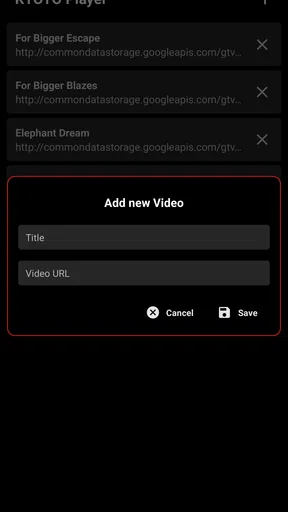
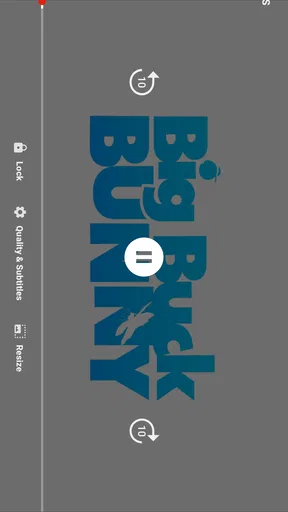
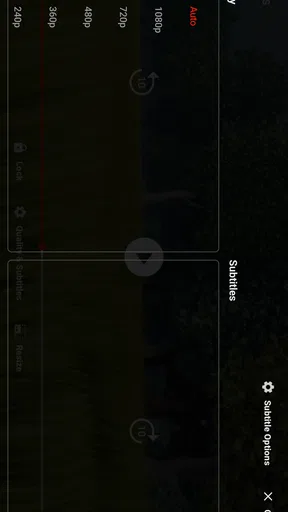
 Analysis by AppCompare
I approached KYOTO Player as a simple way to handle online video on an Android phone, rather than as a full editing suite or a replacement for every streaming service. That distinction matters. The app sits in the video players and editors category, but its practical appeal is much narrower: it is useful when I want to open online video content in a dedicated player and keep the viewing task separate from browsing, messaging, or editing.
My first impression was that the app makes the most sense for people who already have a video source in mind. If you are starting with a link, a shared video, or an online clip you want to watch without turning the rest of your phone into a distraction, KYOTO Player offers a focused route. If you expect a large media library, professional editing controls, or a complete discovery platform, you should set your expectations differently.
The app is free, carries an Everyone content rating, and comes from KYOTO. It was released on June 23, 2024, and the current version is 1.2.6. Those details place it among newer, lightweight choices rather than long-established video tools with years of accumulated features. In everyday use, that can be a benefit: less clutter can make a basic task easier. It can also mean that experienced users may notice the boundaries sooner.
From finding a video to watching it
I start this section with the practical question that shapes the rest of the review: how smoothly can I move from a video I’ve found to watching it in a focused player? Thinking through that handoff also helps me separate the app’s role from the browser or service where the video began. The next section looks at what that distinction means in an everyday viewing routine.
The starting point: a specific online video
The cleanest way to use KYOTO Player is to begin with a clear purpose. Imagine I receive a video link in a group chat during lunch. I do not want to open several browser tabs, lose the conversation, or accidentally move through unrelated recommendations. I want to pass the video into a player, watch it, and return to my day. That is the kind of starting condition where this app feels most appropriate.
This is different from opening a major video platform when I am not sure what I want. Those services are better at discovery, subscriptions, comments, recommendations, and account-based history. KYOTO Player is more appealing when the content is already known and the main job is playback. That narrower purpose is not a weakness by itself; it simply determines whether the app fits your routine.
Because its store summary presents it as an online videos player, I would treat it as a viewing utility first. I would not install it expecting a desktop-style editor, a social feed, or a replacement for a cloud storage app. The category label can suggest broad video functionality, but the most sensible evaluation is based on how well it handles the path from online source to screen.
Worth Reading Before You Choose

EA SPORTS FC Mobile 26 Is a Bigger Football Game, but It Takes Time

Flipboard Shows What News Apps Must Do Beyond the Feed

Switching to Android Auto Means Rethinking Your Driving Routine

Google Calendar Makes a Crowded Week Easier to Manage

Ludo King Makes the Most of the Minutes Between Plans

Baby Panda World Brings Quick Play to Modern Phones, but Its Game Library Feels Busy
Opening the app and preparing the handoff
When I begin, I keep the process simple: identify the video, open KYOTO Player, and use the available route for bringing that online content into the player. The important habit is to prepare the source before starting. If the video is buried inside a long conversation or a crowded browser session, the handoff becomes less convenient than it needs to be.
A useful workflow is to copy or share the video from the place where I found it, then move directly into the player instead of searching again inside the app. This reduces repeated navigation and makes it easier to tell whether a problem comes from the source or from playback. It also gives me a practical way to compare the experience with my phone's normal browser: I can use the browser for discovery and KYOTO Player for the focused viewing step.
That separation is one of the app's more interesting everyday advantages. A browser is flexible, but it also brings page controls, advertisements, open tabs, and unrelated content into the same space. A dedicated player can make the transition from “I found something” to “I am watching it” feel more deliberate. For short clips, the difference may be minor. For a longer video, removing those extra steps can make the experience calmer.
Working through the playback stage
Once the video is loaded, I judge the app by the basics: whether the content starts reliably, whether the controls are understandable, and whether I can watch without unnecessary detours. A player should make the screen the center of attention. If I am checking a tutorial while repairing something at home, I want to pause, resume, and adjust my position without returning to the original page every few seconds.
That scenario also shows why online playback is not the same as local playback. The result depends on the source and the connection as well as the app. If a video takes time to start or stops during playback, I do not immediately blame KYOTO Player. I first check whether the same source behaves normally elsewhere. This simple comparison prevents a common mistake: treating every buffering or loading issue as a player defect.
I also prefer to test a video before relying on it in a time-sensitive situation. For example, if I plan to use an online exercise demonstration during a commute or follow a cooking lesson in the kitchen, I open it in advance. That tells me whether the source is suitable for the app and whether the network environment is stable enough. The app is most useful when it is part of a prepared workflow, not when I discover its limits at the exact moment I need the video.
Passing the result to another activity
The viewing step is rarely the entire task. After watching, I may need to return to a chat, take notes, follow another link, or compare the explanation with a different source. This is where the handoff out of the app matters. A focused player should help me finish the viewing job without making the next step awkward.
My preferred routine is to keep the original message or browser page available until I know the video is the right one. Then I watch it in the dedicated player, leave when finished, and continue from the original context. That gives me a clear chain: source, player, outcome. It is less elegant than an all-in-one platform when I need deep account integration, but it is easier to understand when I am simply processing individual online videos.
This workflow is especially useful for shared material. A friend might send a lecture excerpt, a product demonstration, or a travel clip. I can view it without treating the entire platform around it as part of the task. For families or casual users, the Everyone rating also makes the app easier to consider as a general-purpose viewing utility, although the suitability of any individual video still depends on the content source itself.
What the finished outcome feels like
The successful outcome is modest but valuable: I have watched the intended online video with fewer distractions and can return to whatever I was doing. KYOTO Player does not need to transform the video for that to be worthwhile. Its role is closer to a dedicated doorway than a complete media ecosystem.
I find that approach most convincing on phones with many apps competing for attention. A normal browser can do much more, but that flexibility often means more visual noise. A platform app can offer smoother discovery and stronger personalization, but it may pull me into recommendations or account features that are irrelevant to the immediate task. KYOTO Player occupies the middle ground: more focused than general browsing, less expansive than a major video service.
Its adoption also suggests that the idea has reached a meaningful audience. The app has over a million installs, while its average rating is around 3.6 from roughly 5,000 ratings. I read that combination as a reason to stay balanced. It is not an obscure experiment with no users, but the rating does not suggest that every device and every viewing habit will produce the same result. I would try it with the videos I actually watch rather than assuming it will replace my current setup.
Three practical habits that improve the experience
First, I separate source checking from playback troubleshooting. I open the same online video in the original location before deciding that the player is responsible for a problem. If it fails in both places, the source or connection is the more likely obstacle. If it works in the browser but not in KYOTO Player, I know the handoff deserves closer attention. This two-step check saves time and gives me a more honest view of the app.
Second, I use the player for a single-purpose session rather than building a complicated queue in my head. When I have several links, I process them one at a time and keep a short note about what each contains. That may sound basic, but it avoids losing the original context and makes the app more useful for research, study, or comparing demonstrations. The player handles the viewing portion; my notes handle the organization.
Third, I test the workflow on the exact phone and network where I will use it. An app can feel fine at home and less convenient on mobile data or an older handset. KYOTO Player supports Android 7.0 and later, which gives it broad compatibility with older Android devices, but compatibility does not guarantee the same experience across every screen, connection, or source. A quick real-world test is more useful than relying only on the version number.
Where the workflow breaks down
The biggest friction appears when I expect the app to do more than focused online playback. If I want to edit clips, organize a substantial personal library, manage sophisticated playlists, or use the discovery and community features of a major video platform, I would choose a more specialized or established alternative. KYOTO Player's value comes from reducing the viewing path, not from covering every video-related job.
The handoff can also be inconvenient when the source does not cooperate. Online video is dependent on how the content is presented, and a player cannot automatically make every link behave like a local file. A source may require its own page, may load differently from a direct video address, or may be affected by connection changes. In those situations, the browser or the original service can be the better fallback.
I would also avoid making it my only tool for important offline plans. A dedicated online player is a poor substitute for a dependable local file workflow when I know I will have no connection. If I am preparing for a flight, a remote trip, or a place with unreliable coverage, I prefer content that is already available through a service or app designed for offline access. That is not a criticism of KYOTO Player so much as a reminder to match the tool to the network conditions.
Another limitation is the amount of certainty a moderate rating provides. With an average of 3.6, I would not assume that the app is universally polished. I would pay attention to how quickly it handles my usual links, how easy it is to return to the source, and whether the controls suit my phone. Those are the details that determine whether a player becomes part of a daily routine or remains an occasional utility.
Who should install it and who should pass
I would recommend trying KYOTO Player if your common problem is simple: you have online videos to watch and want a dedicated route that does not require living inside a larger platform. It can suit students checking shared explanations, people following practical demonstrations, and anyone who receives links from friends and wants a clean viewing step before returning to the conversation.
I would be more cautious if your priority is content discovery. In that case, the usual platform app is likely better because search, recommendations, subscriptions, and viewing history are central to its design. I would also look elsewhere if you need serious editing, detailed media management, or a dependable offline catalog. Installing a focused player for those jobs would create frustration rather than simplify anything.
The free price lowers the cost of testing it, and the Everyone rating makes it approachable for a broad audience. Still, “free” should not be confused with “universally suitable.” The right question is whether your videos arrive as individual online items that benefit from a dedicated player. If the answer is yes, the app has a clear role. If your videos live inside a larger workflow, another tool may save more effort.
My final take after following the full route
KYOTO Player is easiest to appreciate when I judge it from input to outcome: I start with an online video, move it into a focused player, watch it, and hand the task back to the chat, browser, notes, or activity that came before it. That complete flow is its strongest argument. It does not need to compete with every video service when it can make one narrow part of the process more direct.
At the same time, the workflow has clear edges. Source compatibility, connection quality, and the need for features beyond playback can quickly change the recommendation. I would keep a browser or the original video service available as a fallback, and I would not depend on this app alone for offline viewing or advanced media work.
Overall, I see KYOTO Player as a practical free experiment for Android users who want a straightforward online viewing tool. Its current version, 1.2.6, is worth testing with the links you actually receive rather than with an imagined ideal library. My recommendation is simple: use it when focused playback is the handoff you need, and choose a fuller platform when discovery, storage, editing, or offline access matters more.
Pros
- Supports smooth playback for common video and audio formats.
- Simple interface makes browsing and starting media quick.
- Useful for enjoying downloaded content without constant streaming.
- Responsive controls make pausing
- seeking
- and adjusting volume easy.
- Lightweight design should work well on many older devices.
Cons
- Format compatibility may vary with less common or newer codecs.
- Advanced playback features are limited compared with premium media players.
- The interface may feel dated to users expecting a modern design.
- Large video files can use considerable storage on the device.
- Some features may depend on the specific Android or iOS version.
FAQs for KYOTO Player
What is KYOTO Player, and what can I use it for?
KYOTO Player is a multimedia application designed for playing supported audio or video content on a compatible mobile device. Its usefulness depends on the version available for Android or iOS and the formats it supports. Before downloading, check the store description, screenshots, and recent update notes to confirm that its playback tools match your needs and device.
Is KYOTO Player free to download and use?
The availability and pricing of KYOTO Player may vary depending on the platform, region, and current developer policy. Some versions may be free, while others can include advertising, optional purchases, or subscription-based features. Review the official Google Play or App Store listing before installing, paying particular attention to in-app purchase information and user comments about limitations.
Which audio or video formats does KYOTO Player support?
Supported formats can differ between KYOTO Player releases and operating systems, so users should not assume that every file type will work. The most reliable approach is to consult the official app listing or developer documentation for a current compatibility list. If your library contains uncommon codecs, test a nonessential file first before moving your entire collection.
Can KYOTO Player play files stored on my device or only online content?
Whether KYOTO Player handles local files, online streams, or both depends on the specific version and its available permissions. During setup, the app may request access to media or device storage so it can locate compatible content. Read permission prompts carefully and grant only the access necessary for the features you intend to use.
Is KYOTO Player safe to install on Android or iPhone?
Download KYOTO Player only from a trusted official store or a verified developer source, and avoid modified APK files or unofficial download pages. Before installation, check the publisher name, privacy information, requested permissions, update history, and recent reviews. Keep your operating system updated, and remember that store availability does not guarantee that every version is completely risk-free.


